Is Local AI on the M6 MacBook Pro Actually Useful?
Yes, for the right jobs.
With a fully local model, the M6 MacBook Pro can summarise private documents, help with writing and code, transcribe audio and generate images without sending that work to a server. Apple Intelligence is different: some features run on-device, while others use Apple's Private Cloud Compute. Local models can be useful, but they won't always match cloud services such as ChatGPT or Claude on difficult tasks. Memory capacity matters at least as much as the chip when choosing what to run.
Apple says the 14-inch MacBook Pro with M6 delivers up to 25% faster performance on certain on-device AI workloads than the M5. Here's what that means in practice.
Independent M6 MacBook Pro tests are now available. The local-model results below come from a review of the 16GB MacBook Pro, rather than a Mac mini. Model formats, settings and prompts affect the results.

What does "local AI" mean on a Mac?
Local AI means running an AI model on your Mac instead of sending each request to a remote server. On the M6 MacBook Pro, distinguish Apple Intelligence, which mixes on-device features with Private Cloud Compute, from models you explicitly configure to run locally in apps such as LM Studio or Ollama.
Apple Intelligence is built into macOS 27 on compatible Apple silicon Macs, including M1 and later, and supports English in the UK.
Apple's own models handle some features on the device. Other Apple Intelligence features can use Private Cloud Compute when larger models are needed; that is protected cloud processing, not fully local execution.
Apple determines which processing route a feature uses. Some server-based features have daily limits, and Apple says expanded access may be offered for a fee. Siri AI remains in beta.
Local models are models you download and run yourself. LM Studio and Ollama offer local-running options, while Apple's open-source MLX framework is designed for machine learning on Apple silicon.
Once a compatible model is downloaded, you can use it offline if the app is configured for local inference and cloud tools or API integrations are disabled. Check the app's privacy and connection settings before entering sensitive material.

Image from unsplash
What can you do with local AI on the M6?
Local AI is most useful for everyday private tasks: summarising documents you would rather not upload, drafting and rewriting text, getting coding help, transcribing audio and generating images. These tasks can work without internet access when you use downloaded, fully local models and the right apps.
- Writing: a local model can summarise a contract, rewrite an email or draft notes from a document without it leaving your Mac. Mid-size models handle this well; small ones can miss nuance.
- Coding: Xcode has on-device predictive code completion, and developers can connect coding tools to a local model for private codebases. Small local models can help with focused edits, but more complex changes still need checking and may work better with a stronger cloud model.
- Transcription: MacWhisper can transcribe meetings and interviews on your Mac when you select its local processing option, without uploading the audio for that task.
- Image generation and editing: Draw Things can generate images offline with downloaded models. Some Apple image features, including certain Image Playground and intelligent photo-editing requests, may use server-side processing; do not assume every Apple Intelligence image task is fully local.
- Music: Logic Pro's Stem Splitter separates vocals and instruments on-device.
Local models can struggle with complex reasoning, multi-step agent tasks and current information when they have no online tools. Apple also uses cloud-based models for some demanding Apple Intelligence requests.
How much faster is the M6 at AI?
Apple reports up to 25% faster performance in selected on-device AI workloads and up to 1.3x faster time to first token than the M5 MacBook Pro. Those are Apple test results, not a promise that every local model will answer 25% faster. In practice, model size, quantisation, context length and memory bandwidth all affect performance.
Time to first token often depends on how quickly the chip can process the prompt, while the speed of generating subsequent tokens can be constrained by memory bandwidth and model design. The M6's additional compute capability helps with some workloads, but neither measure tells the whole story.
Apple lists 153GB/s of memory bandwidth on the 16GB M6, matching the M5 figure, and 170GB/s on the 24GB and 32GB configurations. That makes memory choice relevant to heavier local workloads, although more bandwidth does not guarantee the same percentage improvement in every model.
In its review of a 16GB, 1TB M6 MacBook Pro, Xataka tested several downloaded local models by asking them to summarise a roughly 10,000-token article. It reported these generation speeds:
| Local model tested | Format and mode | Measured speed |
|---|---|---|
| Nemotron 3 Nano 4B | GGUF, reasoning enabled | 36.2 tokens/s |
| Qwen 3.5 9B | MLX, reasoning disabled | 25.7 tokens/s |
| Gemma 4 12B QAT | GGUF, reasoning disabled | 15.5 tokens/s |
Those are measurements from one review, using different model formats and reasoning settings, so they are not a like-for-like model benchmark or a direct M5-versus-M6 speed comparison. The more useful finding is that small and mid-sized quantised models can be practical for document work on the 16GB MacBook Pro, while demanding agent tasks remain much slower.
How much memory do you need for local AI?
Unified memory strongly affects which local models fit and how much room remains for their context and your other apps. Treat 16GB, 24GB and 32GB as practical buying tiers, not fixed limits on parameter counts. Quantisation, architecture and context length can change what each configuration can run.
The model weights are only part of the footprint: macOS, the runtime and the context also need memory. In Xataka's 16GB test, a quantised 12B-class model ran, but a larger model with a roughly 12GB download failed to load. A parameter count or file size alone is therefore not a reliable compatibility guarantee.
| Memory | Practical recommendation |
|---|---|
| 16GB | Occasional use of small quantised models for summaries, rewriting and simple coding; some larger models fit, but multitasking is tighter. |
| 24GB | Frequent local AI work with mid-sized models and more room for context and other apps. |
| 32GB | More headroom for larger quantised models, longer context and several open applications; model compatibility still depends on the setup. |
A useful reality check from Xataka's M6 test: a local coding-agent task took almost five minutes in one attempt and almost 17 minutes in another, without producing fully correct results. Fitting a model into memory does not guarantee cloud-level agent performance.
If local AI is a main reason for buying, consider 24GB or 32GB at checkout because unified memory cannot be upgraded later. Leave free SSD space for downloaded models and Apple Intelligence components too.
Is local AI better than cloud AI?
Fully local AI has an advantage for offline use and keeping selected data on your Mac, provided the app is not sending requests to cloud services. Cloud AI often offers stronger models and tools for complex or current tasks and shifts the main compute load away from the laptop. The better choice depends on the task, privacy requirements and model.
| Fully local AI on the M6 | Cloud AI | |
|---|---|---|
| Privacy | Prompts can stay on the Mac when cloud integrations are disabled | Requests are processed by the provider under its applicable privacy controls |
| Offline use | Yes, after model downloads and local setup | Usually needs internet access |
| Cost | Many free apps and models; hardware and electricity still matter | Free tiers with limits or paid plans |
| Quality | Useful for focused tasks; varies by model and setup | Often stronger for complex tasks and live information |
| Battery and heat | Prolonged inference uses the Mac's CPU/GPU and battery | Most inference runs remotely, reducing local compute load |
Heavy local inference can increase power consumption, heat and fan activity, but there is no single reliable M6 battery-life figure for every local model. Apple's up-to-24-hour rating is for video streaming, not continuous AI inference. In Xataka's review, the 16GB M6 model lasted just under 13 hours in mixed everyday work; that was not a dedicated local-AI battery test.
For most people, the answer is to use both: local models for selected private or offline tasks and cloud services when they offer a clear advantage.
What else do you need for a local AI setup?
For regular local AI use, plan for three things: a suitable charger, storage for models and backups, and a desk setup that suits your Mac. When a model fits fully into unified memory, storage speed mainly affects loading; heavy swapping or streaming data from storage can slow inference too.
- Power
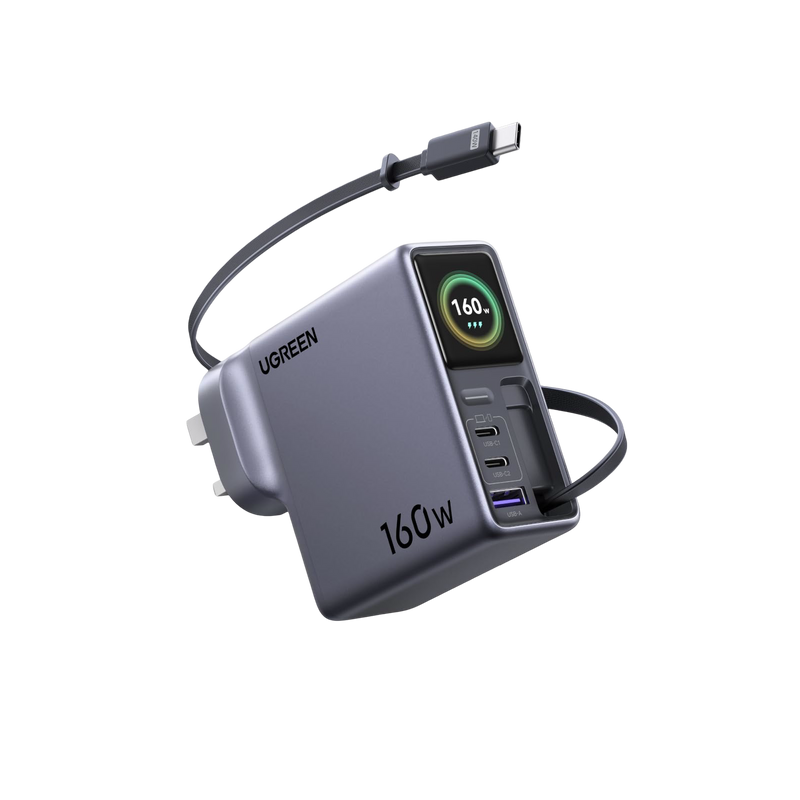
For long AI sessions, use a suitable USB-C charger rather than assuming any hub can supply the power you need. The UGREEN Nexode Pro Smart Display Charger (160W, 4-Port, GaN, Retractable Cable, App Control) supports up to 140W through a compatible single high-power connection. If you charge a phone or other devices at the same time, check the exact multi-port power allocation rather than assuming the MacBook still receives 140W. Browse MacBook USB-C chargers, or read our guide to multi-port charging for a MacBook, iPhone and iPad.
- Storage and backups
Model files range from a few gigabytes to tens of gigabytes, and local-model apps can be configured to keep them on compatible external storage. For a portable SSD setup, compare hard drive and SSD enclosures. Our guide to slow external SSD speeds on MacBook explains how ports, cables and enclosures can affect transfers.
A NAS such as the UGREEN NASync DXP4800 Plus can keep model files, projects and documents together on your home network and serve as a destination for Mac backups. It provides storage; it does not automatically run the local models for your Mac or make inference faster.
Apple recommends a Time Machine backup disk with at least twice your Mac's storage capacity, so a 1TB Mac should ideally have a 2TB backup destination or larger. Model loading from a NAS or external drive may be slower than from the internal SSD, depending on the connection; when the full model stays in unified memory, its storage location generally does not set generation speed.
- Monitors and accessories
The UGREEN Revodok Pro 10-in-1 USB-C Docking Station adds display outputs, Gigabit Ethernet, an SD card reader and USB ports, with up to 85W pass-through laptop charging when supplied by a compatible 100W USB-C power source. On macOS, external monitors connected through this dock show mirrored content rather than separate extended desktops. To use two different external desktops on a compatible M6 MacBook Pro, connect one monitor through the dock and another through the MacBook's own HDMI port, within the Mac's supported display limits. Compare other docking stations if independent displays or different power delivery is a priority.
Should you upgrade for AI?
An M6 upgrade makes the most sense if your current Mac is too slow or short on memory for the local models you want to use. Intel users may see a much larger leap than owners of recent Apple silicon Macs. M1 and M2 Macs can already run local models, while M5 owners will usually need a specific workload to justify upgrading.
- Intel MacBook Pro: a strong upgrade candidate. Intel Macs do not support Apple Intelligence, and Apple silicon offers a much more practical platform for many current local-model tools.
- M1 or M2: consider upgrading if model speed or available unified memory is holding you back. These Macs can already run local models. Apple reports up to 13x faster time to first token for the M6 versus a 13-inch M1 MacBook Pro under its test conditions, but this is not a universal improvement for every AI task.
- M3 or M4: it depends on your existing memory, the models you run and whether the new Mac would remove a real bottleneck.
- M5: usually not for local AI alone. The M6 is faster in Apple's selected tests, but both offer 16GB, 24GB and 32GB memory options.
- Heavy AI users: the MacBook Pro with PROLED XDR Display offers M5 Pro configurations with up to 64GB and M5 Max configurations with up to 128GB, alongside substantially higher memory bandwidth. Compare those options if larger local models are the reason you want to upgrade.
Treat local AI on the M6 as a private assistant alongside cloud AI, not a replacement for it, and choose your memory carefully, because you can’t add more later.
FAQs About Local AI on the M6 MacBook Pro
Can the M6 MacBook Pro run AI models locally?
Yes. The M6 MacBook Pro can run compatible downloaded AI models directly on its own hardware using applications such as LM Studio or Ollama. Unlike cloud-based AI services, a fully local setup processes prompts on the Mac rather than sending them to a remote server. However, Apple Intelligence is not entirely local, as certain features use Apple's Private Cloud Compute. The models you can run comfortably depend on their size, format, quantisation, context length and your MacBook's available unified memory.
Can you use local AI on the M6 MacBook Pro without internet?
Yes. Once you have downloaded a compatible AI model and installed the necessary software, you can run many local AI tasks without an internet connection. These include summarising documents, rewriting text, answering questions about supplied material and certain coding tasks. Applications such as LM Studio and Ollama support local model execution. However, you must ensure that cloud integrations, online tools and remote API connections are disabled if you want fully offline processing. Features requiring live information or external services will still need internet access.
What can you actually do with local AI on the M6 MacBook Pro?
Local AI is useful for practical tasks such as summarising private documents, drafting emails, rewriting text, answering questions about supplied files and assisting with straightforward coding problems. With suitable applications, you can also transcribe audio or generate images locally. The quality depends on the model you choose and the resources available. Smaller models can handle focused tasks well but may struggle with complex reasoning, extensive code changes or multi-step workflows. For those jobs, a more capable cloud AI service may still be preferable.
Is the M6 MacBook Pro faster than the M5 for local AI?
Apple reports up to 25% faster performance in selected on-device AI workloads and up to 1.3 times faster time to first token compared with the M5 MacBook Pro. However, these results come from specific tests and should not be interpreted as a universal speed improvement. Local AI performance also depends on model architecture, quantisation, memory bandwidth and context length. The M6 can offer a useful improvement for certain workloads, but users running smaller models on an M5 may not notice enough difference to justify upgrading.
Is 16GB of unified memory enough for local AI on the M6 MacBook Pro?
16GB can be sufficient for occasional local AI tasks involving small or moderately sized quantised models. It is a reasonable starting point for document summaries, rewriting and simple coding assistance. However, larger models, longer context windows and simultaneous applications can quickly increase memory requirements. A 24GB configuration provides more flexibility for regular local AI use, while 32GB offers additional headroom for more demanding setups. Model compatibility cannot be determined from parameter count alone, and MacBook unified memory cannot be upgraded after purchase.
Is running local AI on a MacBook more private than using cloud AI?
Fully local AI can offer greater control over sensitive information because prompts, documents and model processing can remain on your Mac. This can be particularly useful when working with confidential notes, private files or proprietary code. However, privacy depends on how the application is configured. Some tools include cloud integrations, analytics or remote processing features, so running an AI application on a Mac does not automatically guarantee local execution. Check its privacy settings, disable unnecessary online connections and understand where files and conversation histories are stored.
Can local AI on the M6 MacBook Pro replace ChatGPT or Claude?
For some everyday tasks, local AI can provide a useful alternative to cloud services such as ChatGPT or Claude. Smaller downloaded models can handle document summaries, text rewriting and focused coding questions without requiring an internet connection. However, cloud models often perform better on complex reasoning, demanding coding projects and tasks requiring current information or external tools. Local models also use your MacBook's memory and processing resources, which can increase power consumption and heat. For many users, combining local and cloud AI is the more practical approach.
Is upgrading to the M6 MacBook Pro worth it for local AI?
It depends on your current MacBook and the AI workloads you want to run. Moving from an Intel MacBook Pro can provide a substantial improvement in compatibility with modern Apple silicon AI tools. Owners of M1 or M2 models may benefit if performance or available memory is limiting their work. For M3, M4 and especially M5 users, the upgrade is harder to justify for local AI alone. Before buying, identify which models you need, how much unified memory they require and whether your existing Mac is genuinely limiting performance.
Quick Navigation

Top Picks for You

18%
OFF