


Sort By: Best selling

Bring Wireless Sound to Life.
Frequently Asked Questions About Bluetooth Audio Adapters
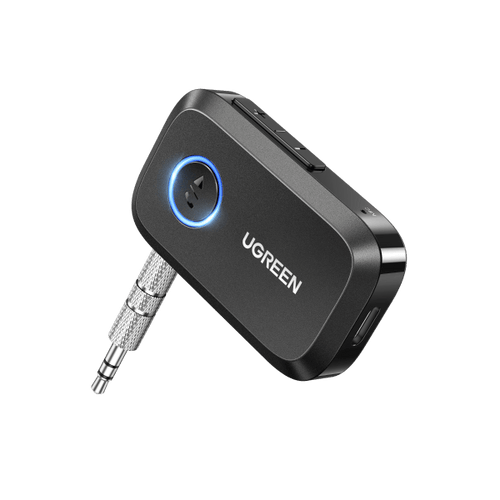
Start with the audio input on your car stereo, speaker or amplifier. If it has a 3.5mm AUX input, a Bluetooth AUX receiver can stream music from a compatible phone without replacing the sound system. For equipment with red and white RCA inputs, choose a receiver offering RCA output. Next, compare power options: UGREEN has both rechargeable receivers and USB-powered car adapters. Check whether you need hands-free calls or dual-device pairing, as these features vary by model. You can also browse our 3.5mm audio accessories for related connections.
A Bluetooth receiver accepts wireless audio from a phone or tablet and passes it to a connected car stereo or speaker through an output such as 3.5mm AUX or RCA. A Bluetooth transmitter works in the opposite direction, sending sound from an audio source to compatible wireless headphones or speakers. A USB Bluetooth dongle typically adds Bluetooth connectivity to a computer, sometimes for keyboards, mice and other peripherals. UGREEN's models in this collection are audio receivers, not general-purpose computer dongles or two-way transmitter-receiver devices. Check the direction of audio transmission and the connection ports before buying.
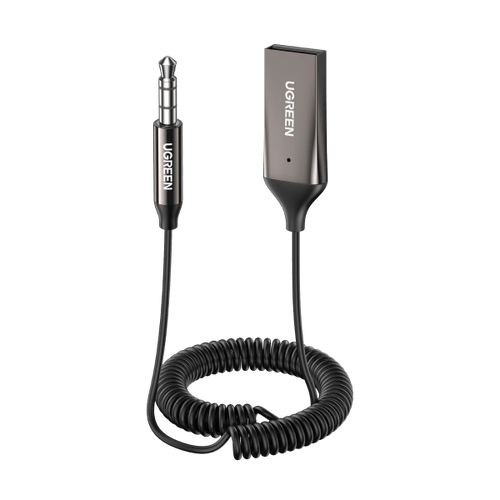
Yes, provided your car stereo has a working AUX input and the receiver has a suitable power source. Connect the receiver's 3.5mm plug or lead to the car's AUX socket, supply power as required, then pair your phone over Bluetooth and select AUX on the stereo. Music, supported app audio and navigation instructions can then play through the car speakers. A USB charging socket alone cannot replace an AUX audio input, and this type of adapter does not add wireless Apple CarPlay or Android Auto. Check whether the chosen model supports hands-free calls before using it for phone conversations.
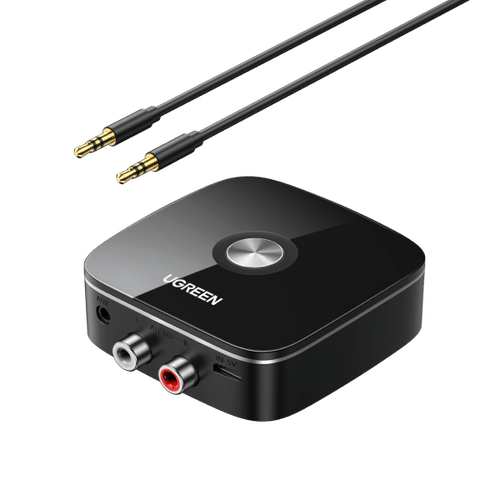
Choose the connector that matches your existing audio equipment. A 3.5mm AUX receiver is commonly used with car stereos, portable speakers and other devices with a suitable stereo input. RCA connections, usually labelled left and right, are found on many traditional amplifiers and Hi-Fi systems. UGREEN's Hi-Fi Bluetooth receiver provides RCA and 3.5mm outputs, whereas the car-focused models use AUX connections. Neither connector guarantees better sound on its own: Bluetooth codecs, signal interference, the original recording and your speakers also matter. Explore our Audio & Video collection for related equipment and connections.
That depends on the model. UGREEN's Bluetooth 5.3 AUX Adapter has a rechargeable battery, with the UK product page advertising up to 15 hours of playback after approximately two hours of charging. Its Bluetooth 5.3 car adapter with a 3.5mm jack instead draws power from USB, so you do not need to recharge a separate internal battery. The Hi-Fi receiver has its own rechargeable battery and power requirements. If your vehicle lacks a USB charging socket, browse our car chargers for possible power options, checking the connector and output requirements first.
First, connect the receiver to the correct audio input on your car stereo or sound system and turn it on or supply power, depending on the model. Follow its instructions to activate Bluetooth pairing mode, then open your phone's Bluetooth settings and select the receiver from the available devices. Set the stereo or amplifier to the corresponding AUX or RCA input and start playback. If there is no sound, check source selection, volume settings, cable connections and whether the receiver is connected to another phone. Pairing indicators and automatic reconnection behaviour vary, so consult the model's manual if needed.
Selected Bluetooth audio receivers support hands-free calling when they have a suitable microphone and calling function. UGREEN's Bluetooth 5.3 car AUX models advertise hands-free use, and selected models also support connecting two phones. However, this does not mean that two phones can play sound simultaneously or that every adapter supports phone calls. A Hi-Fi receiver intended mainly for music playback may have different features. Check the model's microphone specification, dual-connection behaviour and instructions for answering calls. For in-car use, make sure the microphone can pick up your voice clearly and follow local road-safety rules while driving.
Start by checking that the adapter has adequate power and that its 3.5mm or RCA connection is fully inserted. Keep your phone within the receiver's specified range and away from major sources of wireless interference; obstacles and crowded radio environments may affect stability. If you hear humming or static, try another suitable power source or audio lead, as electrical noise from a car's USB supply can sometimes be involved. Check phone and stereo volume, disconnect unused paired devices and try pairing again. If the issue persists, consult the model's troubleshooting instructions or contact UGREEN support.