


Sort By: Best selling

More Speed. Less Waiting.
Frequently Asked Questions About Hard Drive Enclosures
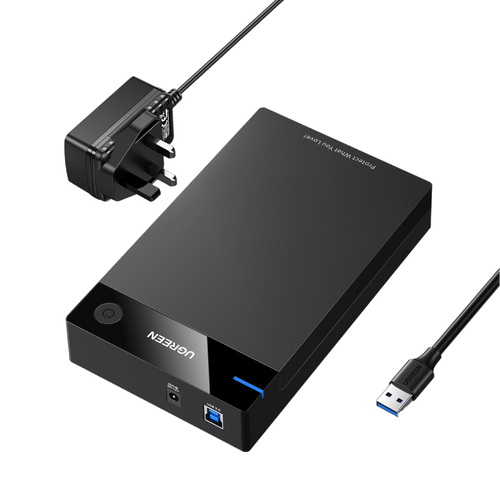
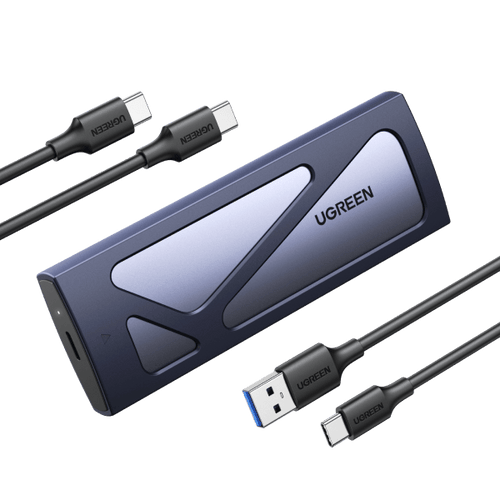
Start with the drive you already own, not the enclosure's advertised speed. A 2.5-inch or 3.5-inch SATA hard drive needs a compatible SATA enclosure; an M.2 NVMe SSD needs a model that expressly supports NVMe. UGREEN's USB 3.0 SATA enclosure is designed for traditional SATA drives, while its 10Gbps and 20Gbps M.2 models cater to NVMe SSDs. Then compare physical size, supported capacity, connection type and power requirements. A 3.5-inch HDD may need external power, so check what the chosen enclosure includes before buying.
SATA and NVMe describe different storage interfaces, not simply different drive shapes. A SATA enclosure connects to compatible SATA HDDs or SSDs, whereas an NVMe enclosure is designed for SSDs using PCIe/NVMe. M.2 drives can use either protocol, so a matching M.2 slot or connector key does not guarantee compatibility. Some UGREEN enclosures support NVMe only, while selected alternatives support both NVMe and SATA. Before purchasing, identify your drive's exact model and protocol, then check the enclosure's supported drive types, sizes and capacity. Do not assume every SSD enclosure works with every SSD.
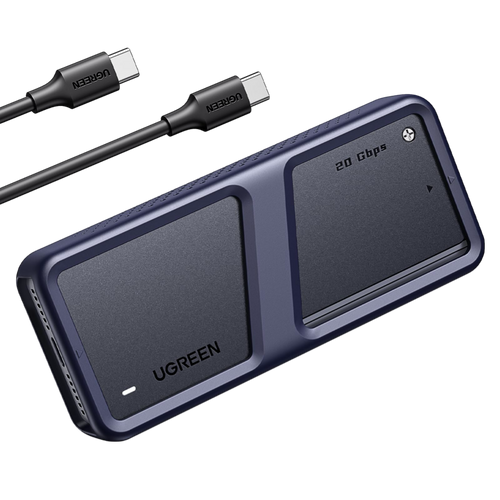
M.2 numbers refer to physical dimensions: for example, 2280 means a 22mm-wide, 80mm-long drive. Selected UGREEN NVMe enclosures accept 2230, 2242, 2260 and 2280 SSDs, but size support differs by model. Connector keys matter too: an M-key or B+M-key drive may fit, yet the enclosure must also support its storage protocol. For example, UGREEN's 20Gbps NVMe enclosure does not support M.2 SATA SSDs even if their connector appears compatible. Check the SSD's protocol, key, length and capacity against the exact product specifications rather than relying on shape alone.
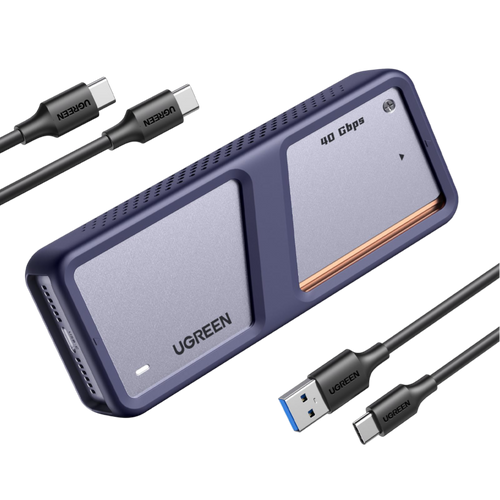
The 10Gbps, 20Gbps and 40Gbps labels describe maximum interface bandwidth, not guaranteed file-copy speeds. Actual performance depends on the SSD, enclosure controller, host port, cable, file size and temperature. A 20Gbps USB 3.2 Gen 2x2 enclosure needs a compatible Gen 2x2 host to reach that link speed; many Macs do not provide that mode. USB4 40Gbps models likewise need the specified compatible host connection. A USB-C connector alone proves none of these speeds. Explore our USB-C cables and external SSD speed guide when checking bottlenecks.
Many UGREEN enclosures work with compatible Windows PCs and MacBooks, but the connection must support the enclosure's interface. A USB-C socket does not automatically mean USB4 or 40Gbps support, and a higher-speed enclosure may have stricter host requirements rather than simply working at any lower speed. Also check whether the supplied lead fits your computer and whether a hub limits data bandwidth or power. Once connected, the drive's file system affects which computers can read or write to it. Explore our USB hubs for additional ports, while confirming their supported data rates.
An enclosure is normally an empty housing, not an SSD or HDD with built-in storage. Check the individual product listing for what is included, then install a compatible drive according to the manual, secure it and connect the required cable or power supply. A new, uninitialised drive may need partitioning and formatting before files can be saved. Choose a file system suited to your devices, such as exFAT when appropriate for sharing between Windows and macOS. Formatting erases existing data, so never initialise or erase a drive containing important files without a verified backup.
A cooling fan is not necessary for every SSD enclosure. Aluminium housings and thermal pads can help manage heat during everyday backups and short transfers, while sustained workloads on fast NVMe SSDs may benefit from stronger cooling. UGREEN offers a 40Gbps enclosure with active cooling, but this feature should not be assumed across the range. Excessive heat can trigger thermal throttling, reducing transfer speeds, although performance also depends on the host and SSD. Check the enclosure's supported drive dimensions, thermal-pad installation instructions and ventilation needs; don't choose solely by its advertised maximum bandwidth.
Yes, a compatible HDD or SSD enclosure can make a useful external drive for backups, moving files or expanding available storage. However, an enclosure does not itself protect against accidental deletion or drive failure, so keep an additional backup of important data. For games, check your console's storage rules: some titles can be stored on USB drives but cannot run directly from them. Speed, file-system format and power requirements also matter. For demanding workflows, read our file-transfer guide or explore docking stations for additional connectivity.