


Skip to product information


Connect more, simplify your setup, and boost your productivity.


21%
OFF


UGREEN Revodok Pro 9-in-1 4K Multi-Display Docking Station
£139.99
Save 21%
Key Benefits
Save 21%
The UGREEN Advantage

UGREEN Revodok Pro 9-in-1 4K Multi-Display Docking Station


UGREEN docking stations make it easy to build a more efficient desk setup. Choose a thunderbolt 5 dock for advanced workflows or a thunderbolt 4 dock for dependable everyday performance. Whether you are looking for a versatile MacBook dock or a dock for mixed-device use, UGREEN helps simplify connectivity and expand your workspace.
Specs
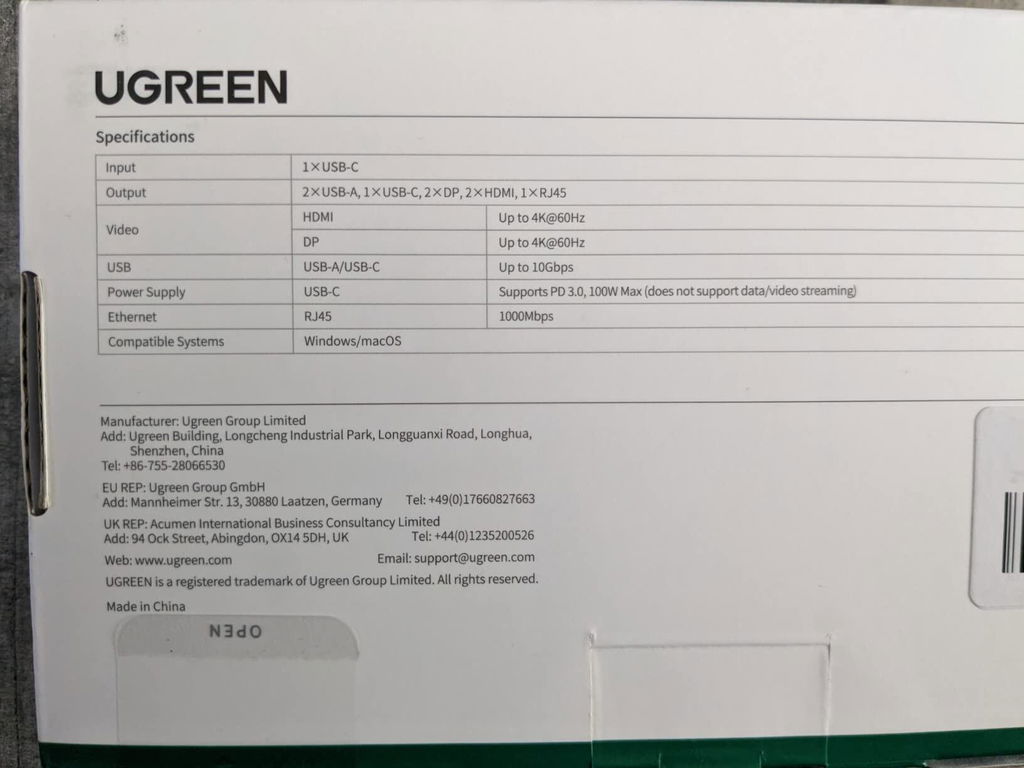
| SKU | 90912 |
| Series | Revodok Pro209 |
| Ports | 9 |
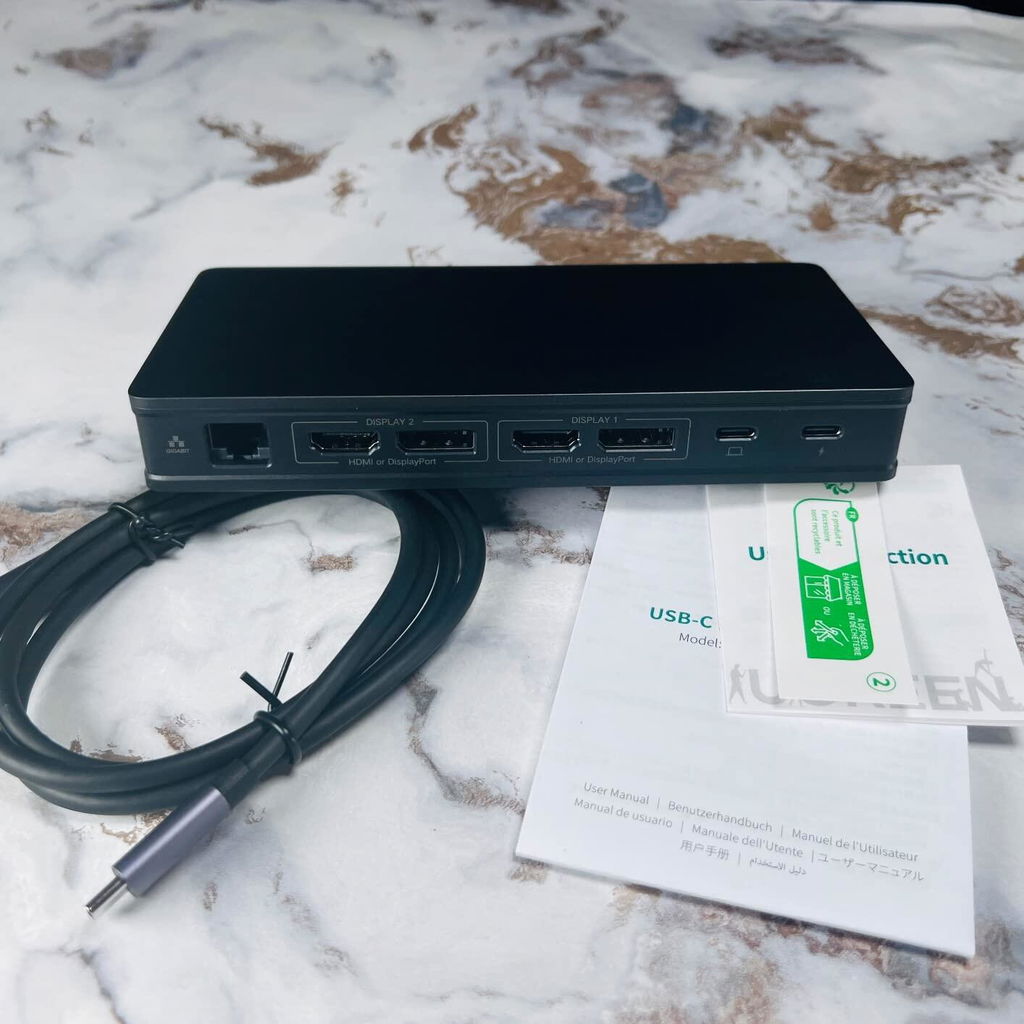
| Extended Monitor | 2 |
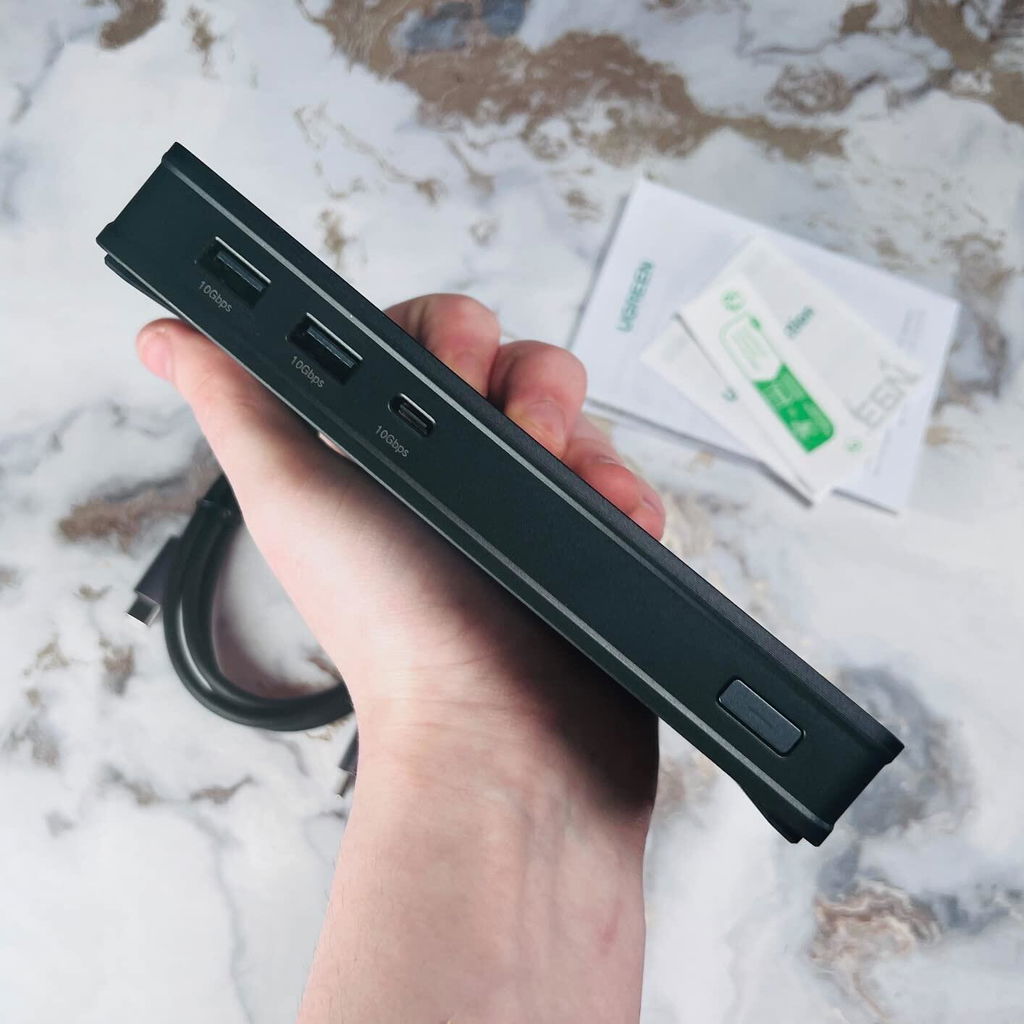
| DataPorts | 1 (USB-C 3.1) 2 (USB-A 3.1) |
| TransferSpeed | USB-C 3.1: 10Gbps USB-A 3.1: 10Gbps |
| Displayport | 2 (DP 1.2) 2 (HDMI 2.0) |
| DisplayResolutionMax | 4K@60Hz |
| ChargingPort | 85W |
| EthernetPort | Gigabit Port |
| OtherPort | - |
| ProductDimensions | L166.5xW79.5xH24.95(mm) |
| ItemWeight(g) | 512.9 |
Reviews
e
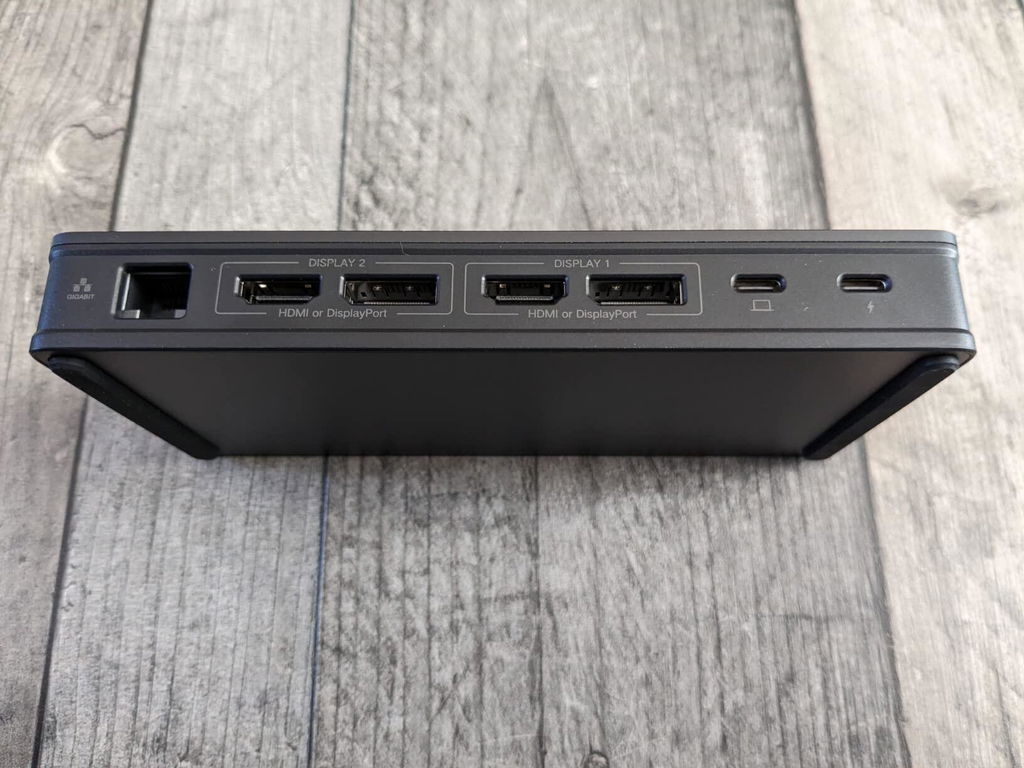
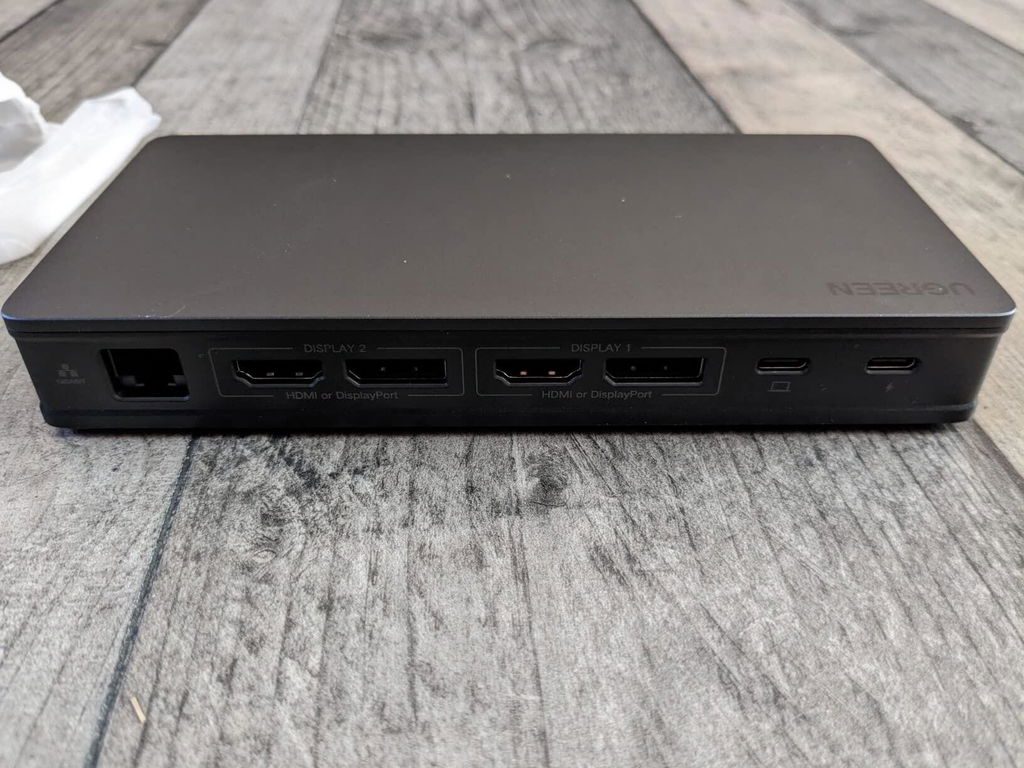
This dock is really good, but the description for it has a bit of an identity crisis - by that I mean that it talks about not needing to carry a big DC power brick around and to use this, but this is big and weighty itself (owing to it being very well made and sturdy) but to get the best out of it you do still need to have a USB C PD supporting power source to feed it, which it can then pass onward to my laptop too, so it's in addition to a USB power adaptor rather than instead of a power adaptor altogether.
J
Got my hands on one of these docking stations and was pleasantly surprised by the ease of setup and use. It has a good form factor and a decent amount of available ports to extend your Mac. I have a basic Mac and there is only a couple of USB-type C ports on it. This allows me to add more ports at the same read speeds. The design and build quality are fantastic. It looks great underneath my monitor. You could easily attach this to the wall or the back of your computer for a cleaner setup.Let’s be honest, the reason to buy this unit is that your Mac could support 4 screens and I love all that real estate. This works for me since I have a mix of monitors which I can draw on to a wide screen 4K as the main monitor. It does require using the MAC laptop as 1 of the 4 screens. I like that it allows me to use two of the same model display on my M1 Mac without having to rearrange the displays randomly (if you have an M1 and two of the same model displays you know what I'm talking about)It is pretty much plug-and-play and your computer instantly detects it. The M1 chip has a limitation to display to only one external monitor. This limitation is not a limitation anymore if you use this docking station. I connected this unit to three 27" inch monitors, and the performance is superb. No lag time or loss of connection so far.I work remotely, so this is exactly what I need. At the same time, I reconnect only one usb type C cable to my Mac laptop and enjoy all three monitors within seconds. When I go off to work out of the office, I can simply unplug the one cable and leave. It’s quite satisfying. The unit screams quality: it is designed very aesthetically, does not get hot even with multiple video streams and performs very smoothly. The unit is well-worth each penny, and I highly recommend it.Hope this review helps someone.


A
This is not a PNP device. It requires a driver for the Synaptics chipset. If you're on enterprise IT YMMV. Love the form factor. Lightweight, small and portable. Really like the USBC pass thru power arrangement. Works 100% with my company M2 Max and my personal Win 11 laptops. Tested rock solid for Powerpoint presentation situations for feeding dual outputs. Probably going to buy a few more for work!
C
Good cost effective solution for Apple display link
S
Cumple lo que promete
A
Work perfect on dual screen for 2020 macbook pro M1 just follow the instructions to download the driver required and you will be fine.
M
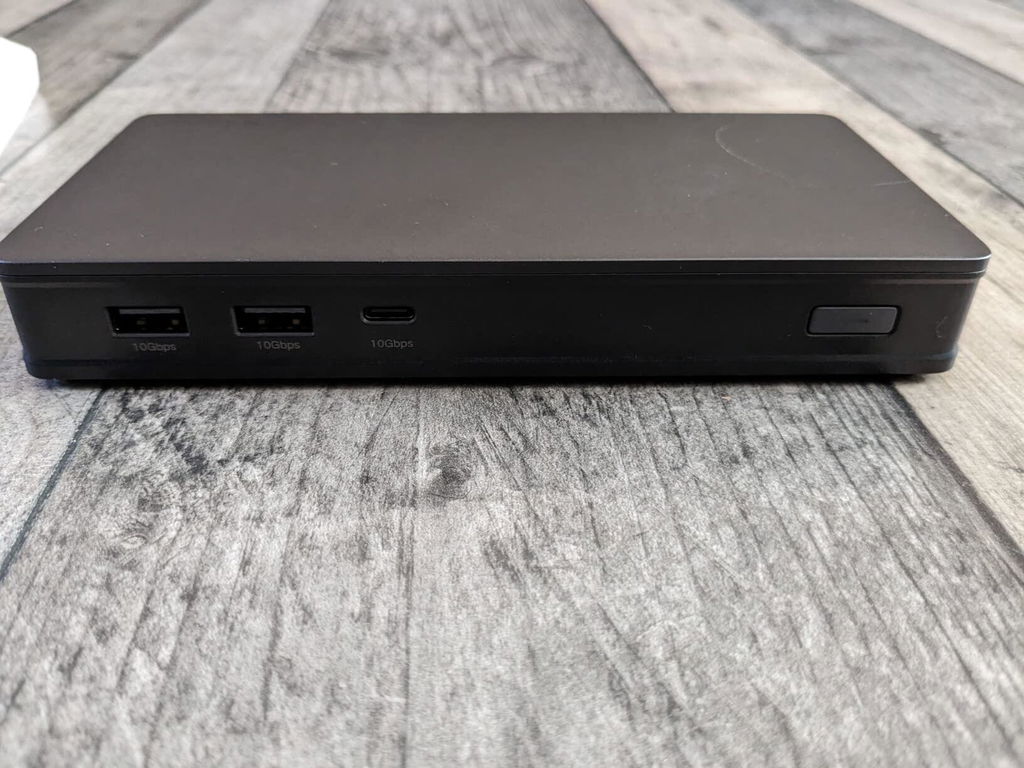
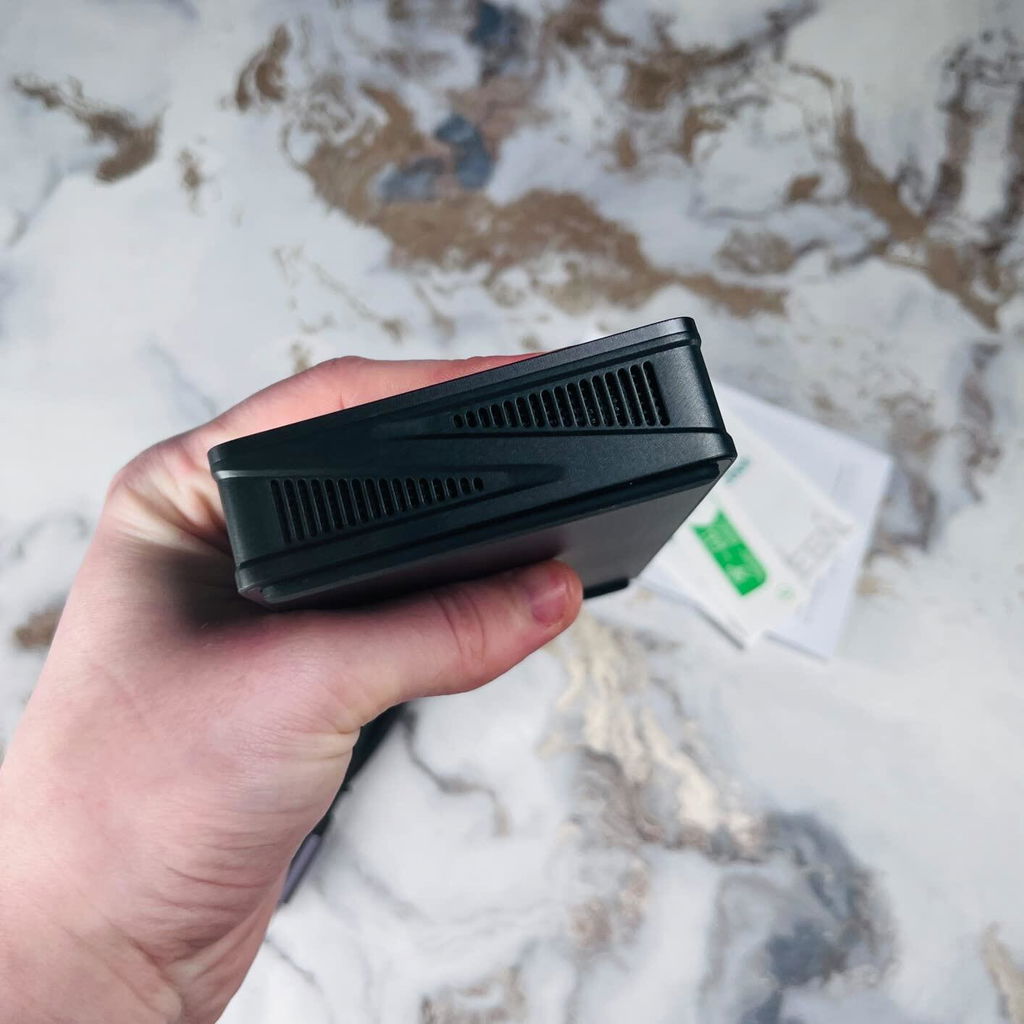
I have a macbook pro m2 chip. Unfortunately the base m2 chip only supports one monitor natively. I''ve seen a bunch of reviews on displaylink saying its buggy so I was a little worried because one of my monitors is set up vertically so I wasn''t sure if it was going to work. Setting up the dock was super easy, when you first connect it to your computer a drive pops up named ''driver'' and it includes the link to the download for displaylink. Once you download it, it launches and works without further setup. Since I have a vertical monitor I had to change the rotation in the settings, I first tried the macbook display settings but I couldn''t get it to work. I turned to the displaylink manager but I couldn''t get the application to open, it was just running in the background. So if you want to access the UI its at the top right hand side you''ll see the little icon, I didn''t know this at first. My experience so far using it for a few days it''s been working fantastic I''m not experiencing much glitchyness or lag or delay at all and it''s been working well. As for the dock itself the build quality is good and it performs well, however as according to other reviews as well it runs pretty hot which does hinder performance. What I did is I got a little desk fan and I have it pointed down at the dock and it works perfectly the dock doesn''t get hot at all and everything is at optimal performance. The only thing is I wish it had more usb ports there''s only 2 at the front for me to plug in my mouse and webcam, I had to connect my keyboard with bluetooth and I have the fan plugged into my pc so a few more ports would have been nice. I''m probably going to get a usb c hub to plug into the usb c port to get a few more usb ports. This saved me a lot of money because the only other way you can use 2 monitors with a macbook natively is by getting the newer pro or max chips and I don''t want to upgrade to the m4 yet since my m2 is running strong.
C
With DisplayLink got my M4 MBP 16” working with 3 monitors!
K
Buem producto
C
Excelente producto lo conecte mi Macbook Pro M1 con mis dos monitores y los 3 sirven muy bien en simultaneo, con 3 escritorios diferentes en cada pantalla
篁
Functionality:It saves my MacBook Air M3 chip which can only connect to 1 external monitor by default. Now I can link to 2 external screens + the computer screen, all display different things.
K
I have mixed feelings about DisplayLink. On one hand, i am mad that Apple stinks and I needed to buy a higher level Macbook Pro than the M3 which I bought to enable the use of more than one external monitor. I paid enough for it.The other aspect is frustration from the DisplayLink side. I have two monitors connected thru the UGREEN DisplayLink device. You will find that when you log into the Macbook, initial conditions being the computer running all night and all the screens are sleeping, the two external monitors do not run back on. The DisplayLink setup does not recognize the two screens.Yes, I updated the drivers. Yes, I have turned the monitors off and on again. Yes, I also unplugged and reconnected the HDMI cables to the UGREEN from the monitors. Also, forums do not provide any good info on troubleshooting.I can unplug the UGREEN from the external power supply (because that is required for this device) and also unplug it from the laptop so it does not get any power. Upon restoring all connections, the monitors are finally recognized and they will start displaying the desktop (or whatever you are showing). I find that lame as I do not want to wear out the connectors on the laptop or any other device by unplugging every single time I get on my laptop.Finally, I noticed there is a power button on the front of the UGREEN adapter. Turn it off, then turn it back on, and the monitors will finally be recognized and will be useable. That is better and easier than messing with the connections every single time.I have only owned the UGREEN adapter for one week so we will see how it works from here. Good luck to everyone.
L
De los mejores productos que existen, había probado con varios hubs pero ninguno me solucionaba lo del DisplayLink, este me permite expandir dos pantallas de mi MacBook M1 a full calidad (La ultrawide sólo alcanza 100hz directo desde el Docking) bastante recomendado.
R
Muy buen equipo
L
Wasn''t exactly what I needed. As this item does not use thunderbolt, when used with a Mac it requires a software that ''records'' your screen yo be able to use monitors. For me it would add a very uncomfortable input lag that would make my experience not pleasant. I ended up returning it.
C
Initially impressions. Feels great and works perfectly allowed me to have two external monitors on my mac M1 (through display link) wish there were more usb and usb-c on the back though. Hasn’t got hot good value for money and feels like quality. Good brand
M
My work uses these for connecting multiple monitors in the office, so I purchased it for home. I purchased the 100 watt Anker USB-C power adapter (no power adapter included) because I am just an Anker fan, but this setup is amazing.My monitors have the Digital Video connectors and the 4k video is amazing through this dock.I would absolutely recommend this product.
S
It’s on the pricey side, but it does put my two 27” LG 4K monitors running at 60hz without any issue by using thunderbolt connector from the PC end and two HDMI cables to the 4k monitors.
T
Great product! Great price!
J
but does what it is suppose to do
v
Fantastic hub. Allows connecting two external monitors.
J
I have a 2023 MacBook Air with M2 Working great with two 2K monitors, I used it with two 4K monitors at work and it did look like it was struggling so if you want to use two monitors I would recommend 1 of them 4K and the other one 2K at maximum.
G
This is awesome with both HDMI and display port for each monitor and have had no issues with major updates not impacting the display port driver. I like the fact I don’t have to install anything comes with it automatically. M1 works dual monitor and in clamshell mode.
L
If you have a Mac M1/M2 system this is the way to go. I purchased a more expensive dock and it would not work. This one half the price out of the box plug it into laptop, plug power into the backside & load software it walks through to install. In les than 10 min I was setup & using dual hdmi monitors with my Mac! Highly recommend this docking station.
A
I've been having a lot of problems with this and a 2023 m2 MacBook pro. It seems to be getting upset with my hyperx quadcast mic - routinely the entire hub will spazz out and lose all usb connected devices. The only way I've found to fix this is rebooting into safe mode then rebooting again.Probably a story that a lot of Mac owners already know, but purchase non apple certified products at your peril